
 Free plan available
A family tradition. A little easier to plan.
The first game together. The opponent everyone wants to see. The school night that takes a little working out. Bring your tickets, calendars, and guest plans into one place, so you can spend more time looking forward to the season.

A full season. And a full family calendar.
School nights, birthdays, weekends away. Start with the schedule and choose the games that work for your family. Assign people to seats as you make the plans.
Keep the little details in the game’s notes: who you’re taking, where you’ll meet, or which night you’re saving for a special occasion.
- When two plans land on the same night.
- Use the schedule’s conflict filter to find games that need another look. Decide which plans to keep and what to do with the seats.
- Keep game night close to everyday life.
- Subscribe to your season’s calendar feed. Bring game times, locations, and seat details into the calendar you check for everything else.

Google Calendar
Calendar subscription

Outlook
Calendar subscription

Apple Calendar
Calendar subscription
Calendar provider names, logos, and other trademarks belong to their respective owners. Season Tickets Manager is not affiliated with, endorsed by, or sponsored by these providers.
Plans change. A good night doesn’t have to go to waste.
If your family can’t make it, give someone you know a night to look forward to. Offer a few dates, add a personal note, and let them choose.
- Choose the games.
- Pick the nights you can share and select Gifted for an invitation without a price.
- Let them pick a favorite.
- Send your offer link. Your guest can choose the game that works for them.
- Make it a plan.
- Review and accept their choice. Their name is recorded against the seats; arrange the ticket transfer through your provider.
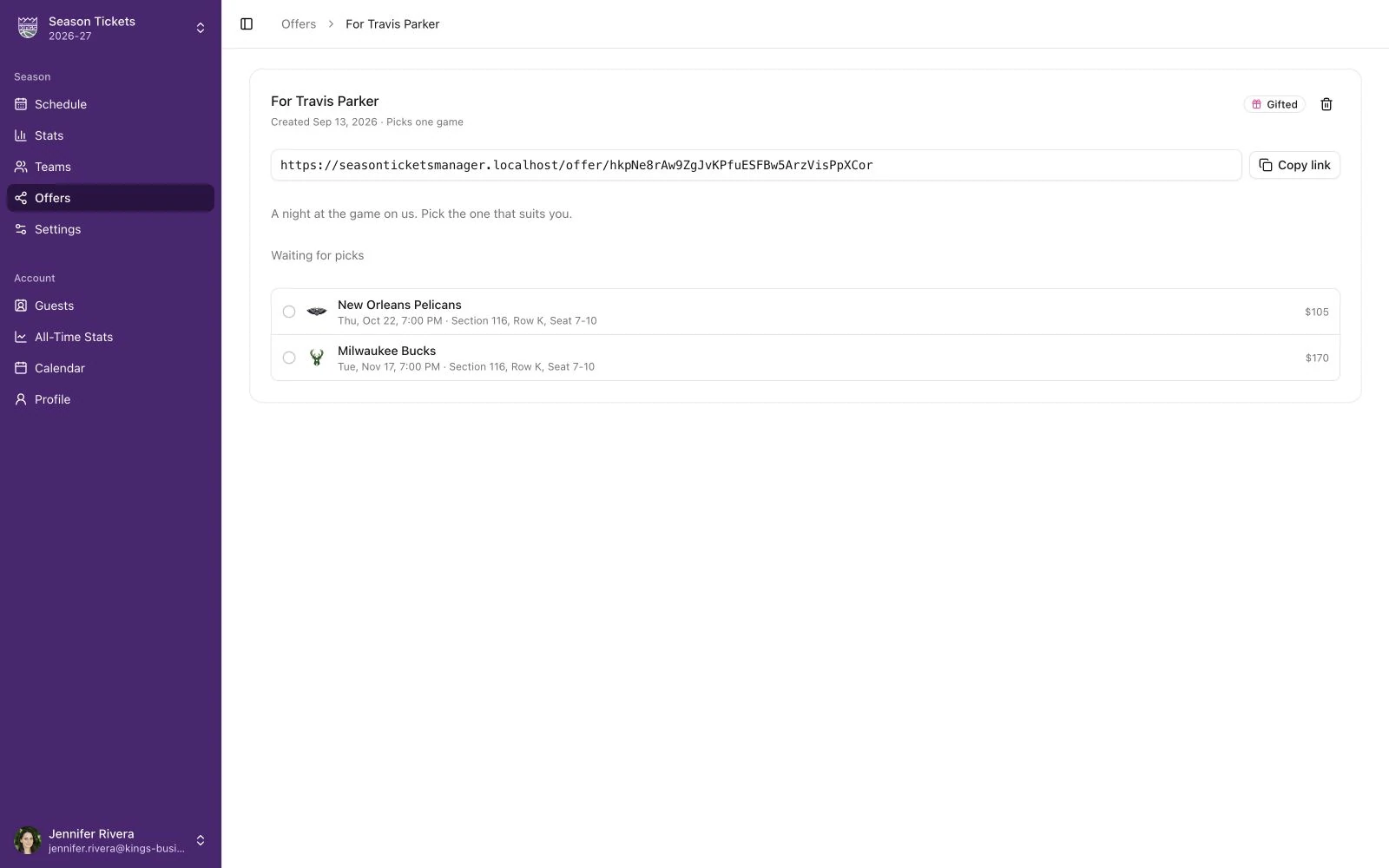
Team and league names, logos, and other trademarks shown belong to their respective owners. Season Tickets Manager is independent and is not affiliated with, endorsed by, or sponsored by any team or league.
The nights become your story.
Who came to their first game? Which wins were you there for? Keep a record of the people beside you and the games you shared, from one season to the next.
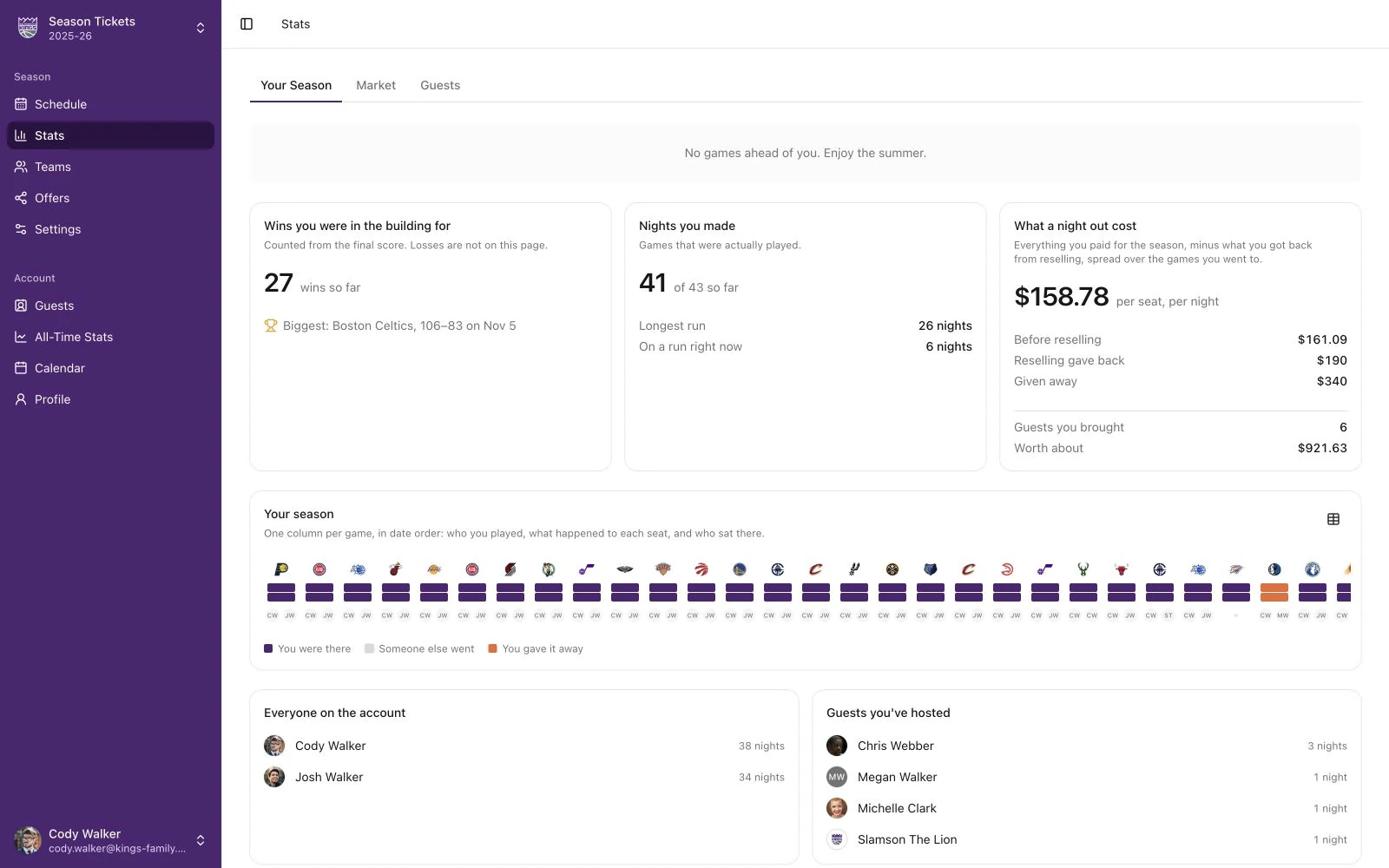
Team and league names, logos, and other trademarks shown belong to their respective owners. Season Tickets Manager is independent and is not affiliated with, endorsed by, or sponsored by any team or league.
The people you brought.
Your guest directory keeps attendance and each person’s last game in view.
The nights you made.
Season stats show the games you attended and the wins you saw in person.
A starting point for next year.
Look back at how you used the tickets before making plans for another season.
Common questions
Yes. Subscribe to your season’s calendar feed in Apple Calendar, Google Calendar, Outlook, or another app that supports calendar subscriptions. The feed includes game times, locations, and seat details.
Yes. Assign guests to individual seats for each game. Your guest directory keeps their record across seasons, so you can see who’s coming and who’s been before.
Yes. The schedule, guest assignments, calendar subscriptions, and season history are useful on their own. Gift offers give you another option when a night no longer works for your family.
Make room for more game nights.
Start with your seats. Build a season around the people you want beside you.